Parent Dashboard Setup
Create your account and add your children
What You'll Set Up:
- Your parent account
- Your family profile
- Child login credentials (for the child app)
2
Create Your Account
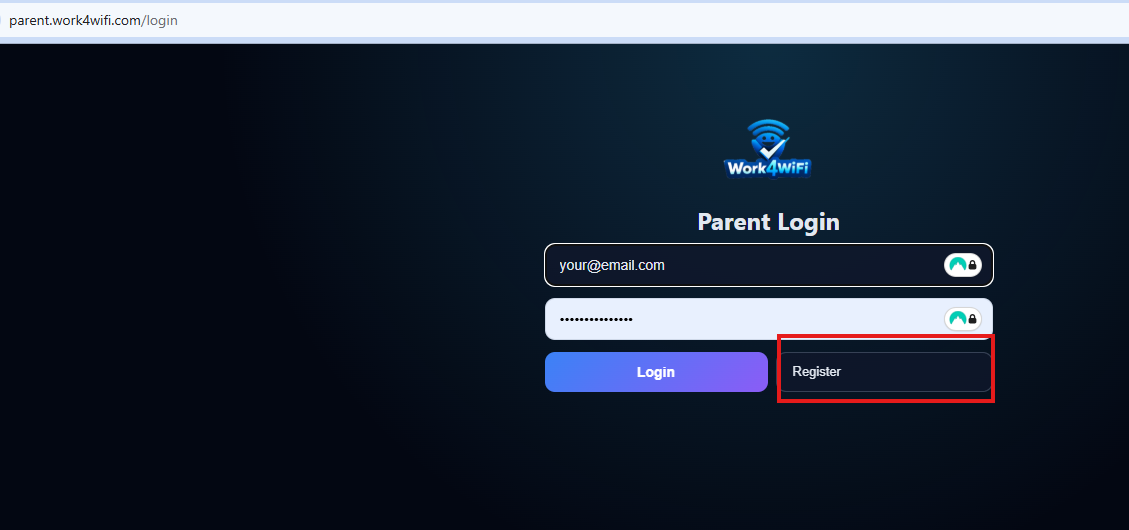
Click Register to create a new parent account.
Click Register to create an account
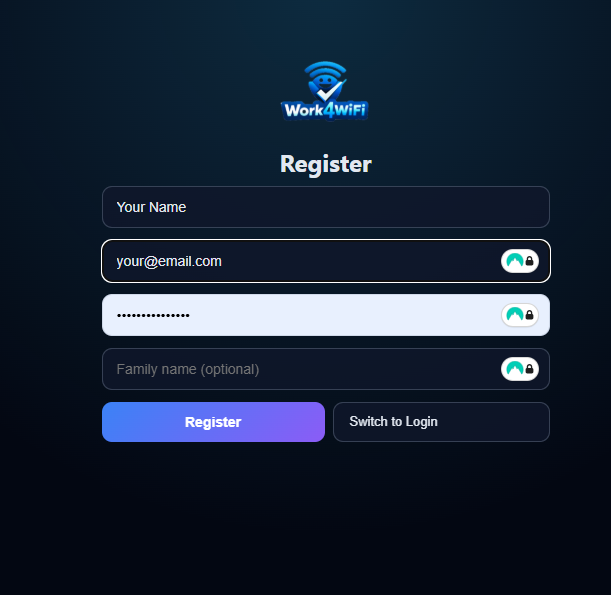
Fill in your details:
- Your name
- Your email address
- A password (at least 8 characters)
- Your family name (e.g., "The Smiths")
Then click Register.
Fill in your details and click Register
3
Log In
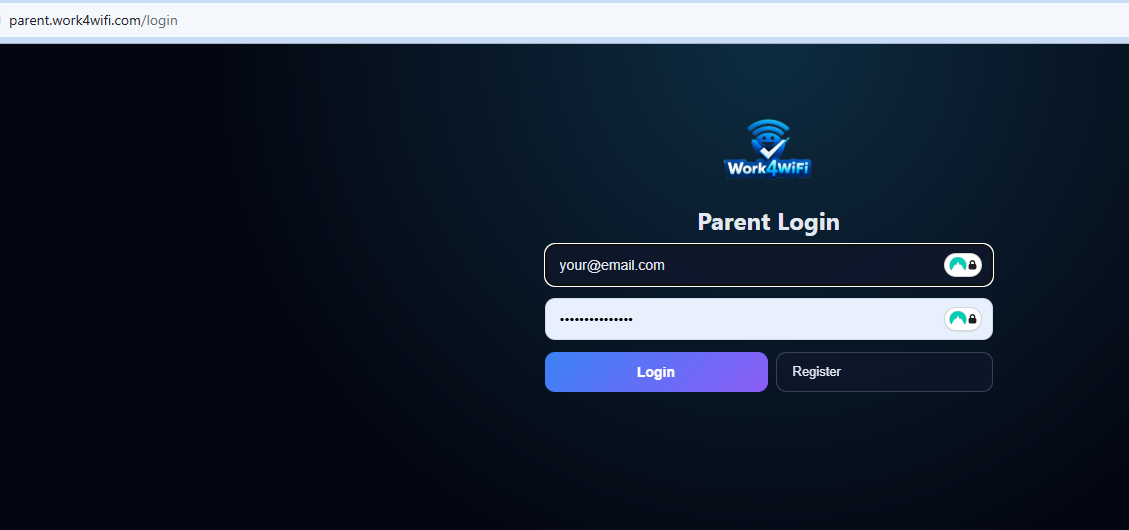
After registering, you may be taken directly to your dashboard, or you may see the login screen.
If you see the login screen, enter the email and password you just registered with, then click Login.
Enter your email and password, then click Login
4
Add Your Child
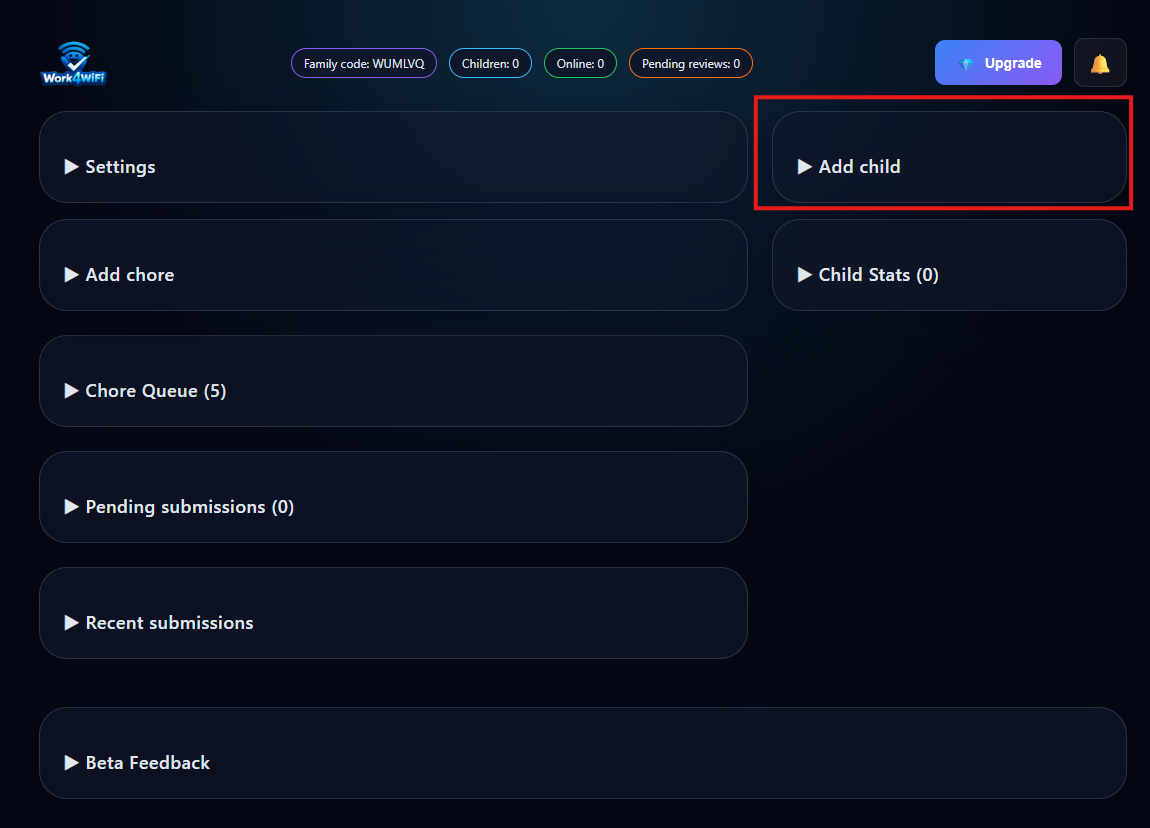
Click Add Child to create a profile for your child.
Click Add Child
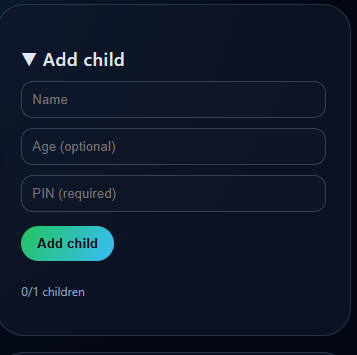
Enter your child's details:
- Child's name – use their real name or any nickname
- PIN – a 4-digit code they'll use to log in on their phone
Enter the child's name and create a 4-digit PIN
Tip: Make it something they'll remember — like their birth year, a favorite number, or an easy pattern.
5
Get Your Family Code
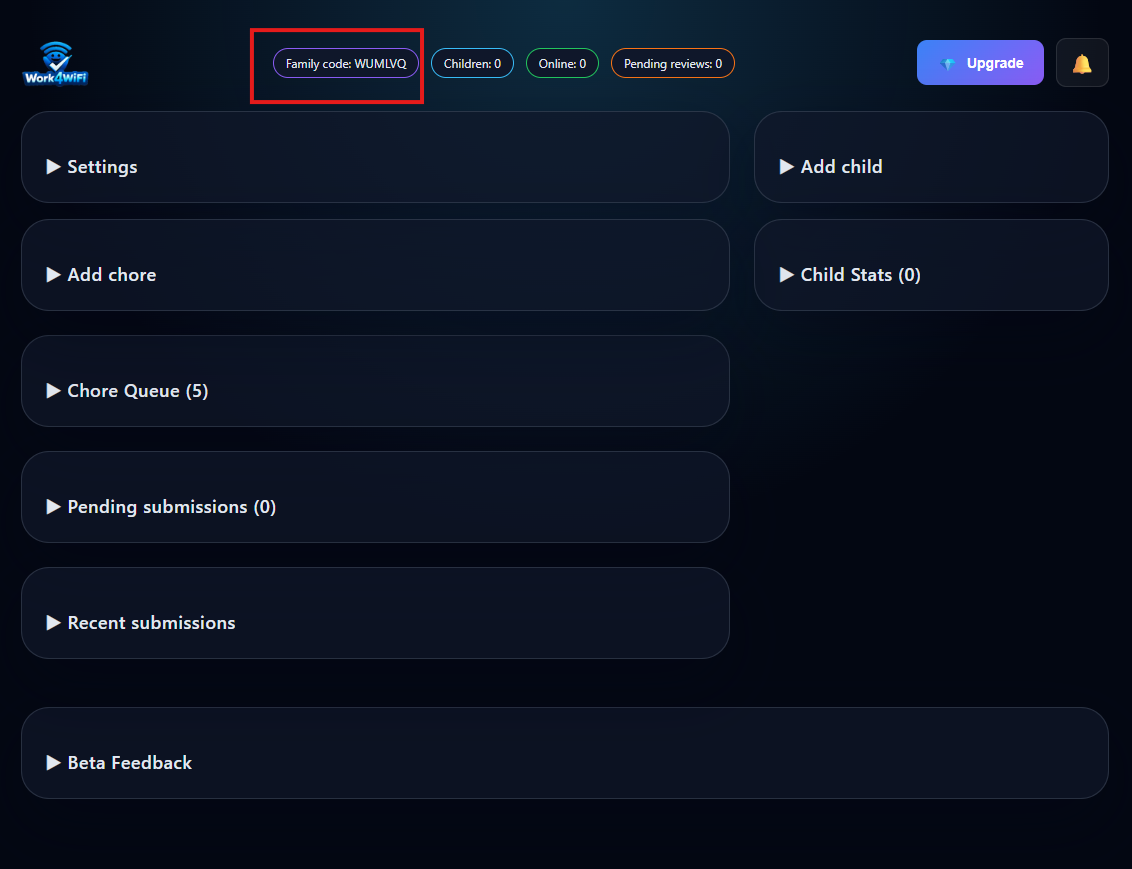
After adding your child, you'll see your Family Code on the dashboard.
Your Family Code is shown on the dashboard
Write these down! You'll need all three when setting up the child app:
- Family Code
- Child's Name (exactly as you entered it)
- PIN (the 4-digit code you created)
✓
Now Install the Child App
Parent dashboard is set up! Now follow the child app installation guide to set up the app on your child's phone.